Po Box 2092, Werribee, Victoria, Australia - 3030

+61 412516364

Hands-on Azure Data Engineer & Analyst Training

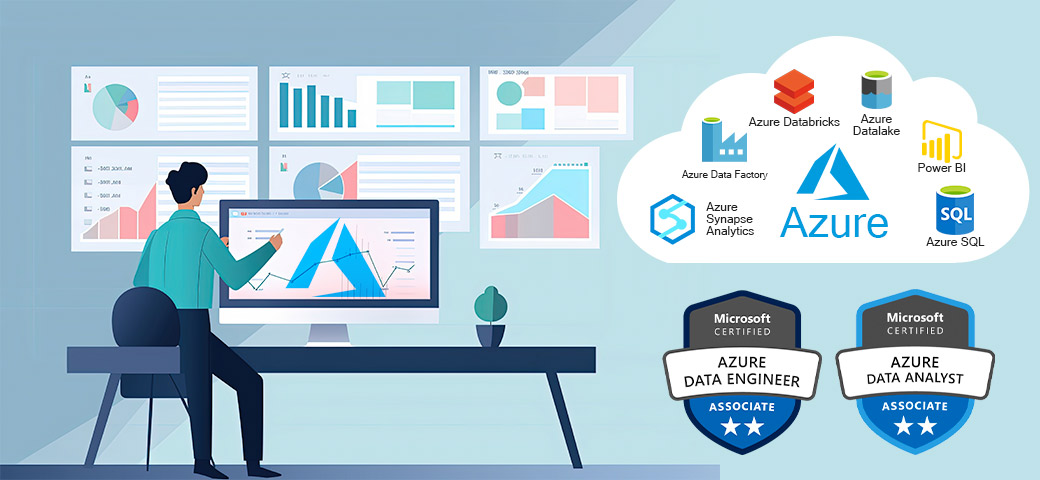
Become job-ready with practical training in Azure Data Engineering, Microsoft Fabric, Databricks, PySpark, Azure SQL, and Power BI through real-world projects. Prepare confidently for the DP-700 certification while developing the skills employers seek in modern cloud data professionals.

Best Seller Icon Bestseller
4.8
619 students
  • Last updated 05/06/2026
  • English
  • Certified Course
Card image

About HAC

Empowering professionals worldwide with practical, job-focused technology training.

Hands-on Agile Coaching (HAC) Australia is a leading global IT training organization dedicated to delivering real-world, hands-on learning experiences. HAC has successfully trained and mentored thousands of students across Australia, the USA, Canada, the UK, and India in high-demand domains including Azure Data Engineering, Cybersecurity, Generative AI, Agile, PMP, and Business Analysis.

Our mission is simple: bridge the gap between learning and employment by providing practical skills, industry-relevant projects, and expert mentorship that prepare students for real-world success.

Why Choose HAC for Azure Training?

HAC follows a "Learning by Doing" approach, ensuring students gain hands-on experience through live projects, practical assignments, and real-world industry scenarios. Our Azure Data Engineer & Analyst Training covers Azure Data Factory, Databricks, PySpark, Microsoft Fabric, Power BI, Azure Data Lakes, SQL, and modern cloud data engineering practices.

With expert-led sessions, career mentoring, interview preparation, and industry-focused project work, HAC helps students build the confidence and technical expertise required to excel in today's cloud and AI-driven data landscape.

About the Founder

Lakshmi Nune, Founder & Director of HAC Australia, brings over 26 years of global IT industry experience. Throughout his career, he has trained and mentored thousands of professionals worldwide, helping them successfully transition into high-demand technology careers through practical, industry-focused training and coaching.

Learn from industry experts. Build practical skills. Advance your career with confidence.

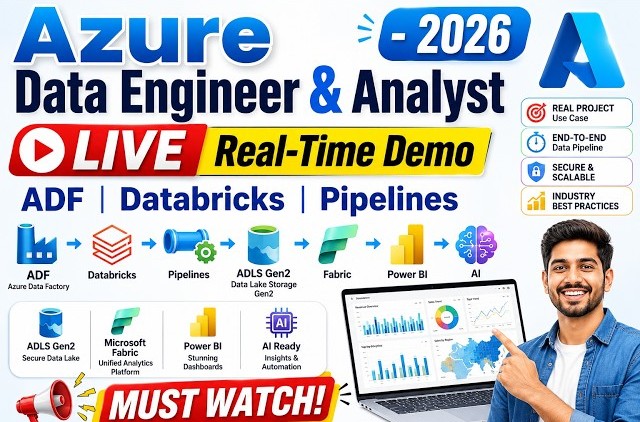
Watch Our Real-Time Azure Data Engineer Demo Class

Course Overview

Master Azure Data Engineering, Microsoft Fabric, Databricks, and Power BI through hands-on projects and real-world industry scenarios.

HAC Australia's Hands-On Azure Data Engineer & Analyst Training Program is designed to help you build job-ready skills in modern cloud data technologies. Learn Azure Data Factory, Azure Databricks, PySpark, Microsoft Fabric, ADLS Gen2, Azure SQL, and Power BI through practical labs and instructor-led sessions.

Gain real-world experience by developing end-to-end data solutions, including data ingestion, transformation, storage, analytics, and reporting. Work with industry-standard architectures such as Delta Lake, Medallion Architecture, Fabric Lakehouse, and CI/CD deployment using Azure DevOps.

Whether you're a beginner, a working professional, or transitioning into data engineering, this program provides the technical expertise, project experience, interview preparation, and career guidance needed to succeed in today's AI-driven data industry.

Build in-demand skills. Work on real projects. Launch your Azure Data Engineering career with confidence.

Course Objectives

Gain practical, job-ready expertise in Azure Data Engineering, Microsoft Fabric, Databricks, PySpark, and Power BI through hands-on training, live projects, and real-world industry scenarios. This program is designed to help you build, manage, and optimize modern cloud-based data solutions from end to end.

  • Understand cloud computing fundamentals and the Microsoft Azure ecosystem.
  • Build scalable ETL/ELT pipelines using Azure Data Factory, Databricks, and Microsoft Fabric.
  • Work with Azure Data Lake Storage, Azure SQL Database, Delta Lake, and Lakehouse architectures.
  • Develop data transformation solutions using Python, PySpark, and Apache Spark.
  • Implement Medallion Architecture, Delta Live Tables (DLT), and Unity Catalog.
  • Create interactive dashboards, reports, and business insights using Power BI and DAX.
  • Learn data warehousing concepts including OLTP, OLAP, Star Schema, and Snowflake Schema.
  • Apply CI/CD practices, version control, and deployment strategies using Azure DevOps.
  • Build and deploy end-to-end real-world data engineering projects across multiple industries.
  • Prepare for Azure Data Engineer, Data Analyst, Microsoft Fabric Engineer, and Cloud Data Engineer roles.
  • Receive resume guidance, interview preparation, and career mentoring to accelerate job success.

Upon completion, you will have the practical skills and confidence to design, automate, and manage enterprise-grade data solutions using Microsoft's latest cloud and analytics technologies.

Enrolling in this course doesn't require predefined skills. However, familiarity with Linux, Python, SQL, and Scala would be advantageous.

Learning a DP-700 Certification Course can provide several benefits, such as:
  • Advancement in Career Opportunities:As the need for data engineering expertise grows, certified Azure Data Engineers are coveted by leading global firms. This creates numerous career prospects for professionals in this realm.
  • Anticipated Increase in Demand:The demand for proficient data engineers is expected to rise in the future, driven by the widespread adoption of cloud computing, big data analytics, and machine learning. This presents an opportune moment to pursue certification in Azure Data Engineering.
  • Skills:Obtaining the certification offers a thorough grasp of Azure data services, encompassing data modeling, ingestion, transformation, processing, analysis, visualization, monitoring, and optimization. This equips professionals to create and implement robust and efficient data pipelines and stores.
  • Increase in Salary Potential: Certified Azure Data Engineers often command higher salaries than their non-certified counterparts. This certification serves as a tangible demonstration of expertise and experience, paving the way for lucrative job prospects.
  • Practical Application Experience:Participants in the certification course gain practical experience through real-world case studies and industry projects, allowing them to apply their skills in authentic scenarios.

Our Azure Data Engineer Certification Course is crafted to industry standards, aiming to equip learners with the skills to design, implement, and uphold secure and compliant data processing pipelines utilizing Azure data services and frameworks. The course prepares candidates for the Azure Data Engineer Exam, assessing proficiency in integrating, transforming, and consolidating data from diverse sources.

  • Data modelling and database design
  • SQL and other query languages
  • Data integration and ETL Tools
  • Data analysis and visualization
  • Cloud Platform Skills
  • Programming languages such as Python and Java.
  • Data Pipeline Development
Show More

Course Schedule — Key Topics Covered

8
Weeks
9+
Core modules
50+
Hands-on scenarios
ADF · Databricks · Fabric · Power BI
Key technologies
W1

Cloud & Azure Foundations

Cloud intro · ADE services · Storage types

3 sections · 29 topics
Azure for the data engineer
Cloud computing basicsIntroduction to Microsoft AzureApplications of AzureAzure servicesUnderstanding dataOn-premises vs Cloud serversAzure Data Engineer roles & tasksData engineering processesUse cases for the CloudSetting up Azure account
Overview of ADE services
ADLS gen2Azure Blob StorageAzure SQL DatabaseAzure Data FactoryAzure DatabricksAzure Synapse AnalyticsMicrosoft Fabric
Azure data storages
File storesRelational data storeNon-relational data storesAzure Blob StorageAzure Data Lake StorageWhy Data LakeData Lake architectureAzure SQL DatabaseNoSQL & Azure Cosmos DBAzure DB for MySQL / MariaDB / PostgreSQLAzure Synapse Analytics
W2

Azure Data Factory (ADF)

ETL/ELT · Pipelines · Ingestion methods · Scenarios

4 sections · 30 topics
ADF fundamentals
Introduction to ADFETL vs ELTOn-prem vs Cloud ETL toolsWhy ADFADF componentsLinked services in ADF
Integration runtime & pipelines
IR — AzureIR — Self-hostedIR — SSISCopy data activityControl flow activityData flow activity
Data ingestion methods
Full loadCopy data toolBatch loadSequential loadIncremental loadChange data capture (CDC)
ADF scenarios & operations
Copy data scenariosAzure SQL databaseControl flow activitiesData flow transformationsParameters in ADFSCD Type 1 & 2 pipelinesADF data migrationScheduling & triggering pipelinesMonitoring pipelinesCI/CD in ADF
W3

SQL & Python Basics

Data analysis with SQL · Python fundamentals

2 sections · 25 topics
SQL for data analysis
SQL commands — DDL & DMLAggregate functions & groupingSQL Joins & set operatorsSubqueriesData cleaning & transformationWindow & logical functionsString & date functionsAnalytical functions
Python basics
Variables & datatypesOperators — arithmetic / logical / comparisonWorking with strings · Indexing & slicingLists · Tuples · Sets · DictionariesBuilt-in & user-defined functionsIf / While / For statementsRange() functionMap · Filter · ReduceLambda expressions
W4

Apache Spark & Databricks Intro

Spark architecture · Databricks setup · RDDs

4 sections · 32 topics
Spark introduction
Introduction to Apache SparkHadoop vs SparkSpark architectureSpark context & APIsRDDs · DataFrames · DatasetsSpark transformations & actionsLazy evaluation & fault toleranceColumn manipulations (WithColumn / WithColumnRenamed)Partition by · Reading & writing formatsSpark SQL · Group by · Window functionsJoins · Date & conditional functionsCaching · Schema evolution · DAG
Azure Databricks introduction
Azure Databricks vs Free EditionDatabricks runtime engineWorkspace · Cluster · CatalogDBFS · Tables · Hive Metastore
Databricks utils & volumes
Volume introduction & creating volumeWorking with files using DBUTILSNotebook intro · Creating directoryCopy · Move · List · Remove commands
RDDs (PySpark) & storage integration
Integrating ADLS with DatabricksMounting with access keysCreating Spark RDDsSpark transformations & actionsLazy evaluation
W5

PySpark DataFrames & Delta Lake

DataFrames · Spark SQL · Medallion architecture · Unity Catalog

3 sections · 24 topics
DataFrames (PySpark)
Creating Spark DataFramesReading data from different filesColumn manipulationsGroup by & aggregate functionsJoins in PySparkWindow functionsPartitioning with Partition byCaching · Schema evolution · DAGWriting data to different formats
Spark SQL & tables
Creating viewsSQL statements on viewsCreating tables — UI & notebooks
Delta Lake & advanced Databricks
Delta LakeManaged tablesExternal tablesLakehouseMedallion — Bronze · Silver · GoldScheduling Databricks jobs via ADF pipelinesDelta Live Tables (DLT)Unity CatalogSecret scopes via Azure Key VaultService principal · SAS tokens
W6

Microsoft Fabric Data Engineering

Fabric platform · Lakehouse · Warehouse · Power BI in Fabric

4 sections · 27 topics
Fabric platform & Data Factory
Introduction to Microsoft FabricFabric Analytics platformFabric OneLakeData pipelinesDataflows gen2Transforming dataLoading data to LakehouseCopy jobADF to Fabric migration
Fabric Synapse data engineering
Fabric Synapse Data EngineeringFabric NotebooksAnalyze data with Apache SparkLakehouseDelta tables
Fabric Synapse data warehouse
Creating a Warehouse in FabricWays to load dataCOPY INTO commandPipeline to WarehouseDataFlow gen2 loadLakehouse vs Warehouse
Power BI in Fabric
Microsoft Power BI in FabricAccess data using PBI DesktopDirect LakeDirect QueryRow-level securityColumn-level security
W7

Power BI & Data Warehousing

DWH concepts · Power BI Desktop & Service · DAX

2 sections · 13 topics
Data warehouse fundamentals
Introduction to Data WarehouseOLTP vs OLAPStar schema vs Snowflake schema
Power BI
Overview of Power BIPower BI DesktopConnecting to different data sourcesPower Query for data transformationData modelingDAXReports & visualization typesDashboardsPublishing reportsPower BI Service
W8

Real-Time End-to-End Project

Azure DevOps · Medallion pipelines · Power BI reporting

3 sections · 34 topics
Project setup & DevOps
Overview of projectCreating Azure servicesSetting up data storesCreating metadata tablesMasking credentials with Key VaultsAzure DevOps repo setupWorking branch · Creating PR · Merging code
Dynamic pipelines & medallion framework
Dynamic linked servicesDynamic datasetsMetadata-driven pipelinesFramework for Bronze layerFramework for Silver layerNotebooks per tableApplying required transformationsJob cluster in ADFTrigger & scheduling for master pipelineGold layer → Power BIDimensional modelingCreating measures & publishing report
Hands-on real-time ADE scenarios
Creating ETL/ELT pipelines in ADFControl flow activitiesData flow transformationsIngesting multiple file sourcesIngesting multiple SQL tablesBatch load & sequential loadIncremental load — last modify dateIncremental load & CDCSCD1 & SCD2 pipelinesEmpty file scenariosFile count in folderValidate schema & structureCopy data from REST APIsEmail notificationsPySpark & Spark SQL analysisADLS analysis from DatabricksMounting & service principalCreating Delta tablesLakehouse (Medallion) architectureFabric pipelines & Dataflows gen2Lakehouse & Warehouse in FabricVisualizing data & dashboards in Power BI

DATA ANALYTICS

  • SQL
    • SQL commands for Data Analysis (DDL & DML)
    • Aggregate Functions & Grouping data
    • SQL Joins & Set Operators
    • Advanced Data Analysis: Subqueries
    • Data Cleaning & Transformation
    • Window & Logical Functions
    • String & Date Functions
    • Analytical Functions
  • Data Analytics with Power BI
    • Introduction to Datawarehouse
    • OLTP vs OLAP
    • Star Schema vs Snowflake Schema
    • Overview of Power BI
    • Power BI Desktop
    • Connecting Power BI with different data sources
    • Power Query for Data Transformation
    • Data Modeling
    • DAX
    • Reports & Visualization types
    • Dashboards
    • Publishing Reports
    • Power BI Service

Why choose us?

There are several reasons why you should choose our Quality Assurance/Manual Testing course:

  • Experienced Instructors: Our instructors are industry experts with extensive experience in software testing and quality assurance. They bring real-world knowledge and practical insights into the classroom, ensuring that you receive high-quality training.
  • Comprehensive Curriculum: Our course covers a wide range of topics related to software testing, providing you with a well-rounded education in this field. You will learn both theoretical concepts and practical applications, allowing you to develop a solid foundation in quality assurance and manual testing.
  • Practical Learning: Our course emphasizes practical learning and hands-on experience. You will have the opportunity to work on real-world projects, create test plans, execute test cases, and analyze test results, giving you the practical skills and knowledge needed to excel in the field.
  • 24/7 Expert Support: We understand that learning doesn't stop after the class is over. Our instructors are available 24/7 to provide expert support and guidance, ensuring that you have access to assistance whenever you need it.
  • Flexible Learning Options: We offer flexible learning options online, allowing you to learn at your own pace and convenience. You can access course materials and lectures from anywhere, at any time, making it convenient for those with busy schedules.
  • Free Re-enrolment: We value your commitment to learning. Once you have enrolled in our course, you can re-join any other batch free of cost providing you with the opportunity to reinforce your learning and further enhance your skills.

Join us now and take your career in software testing to the next level. Contact us at [email protected] to get started on your learning journey today!

Instructor

Bhaskar
Azure Data Engineering Trainer
  • 3527 Reviews 4.4 Rating
  • 3910 Students
  • 16 Courses

Bhaskar brings 14+ years of strong industry experience in Data Engineering, Business Intelligence, Azure Data Factory (ADF), Azure Databricks, Data Warehousing, Analytics, Development, Testing, and Production Support across multiple domains

Bhaskar has been delivering hands-on Azure Data Engineering trainings for the past 5 years with strong \ real-time practical knowledge in ADF pipelines, Databricks, Star/Snowflake schemas, and modern data solutions

Hands-On Courses

Section HAC W1.1 : Cloud Introduction
  • On-premises vs Cloud-based servers
  • Cloud Computing basics
  • Setting Up Azure Account
  • Introduction to Microsoft Azure
  • Applications of Azure
  • Data Engineering processes
  • Azure Data Engineer roles & tasks
  • Use cases for the Cloud
  • Azure Datalake Storage (ADLS) gen2
  • Azure Blob Storage
  • Azure SQL database
Section HAC W1.2 : Overview Of ADE Services
  • Azure Data Factory
  • Azure Databricks
  • Azure Synapse Analytics
  • Microsoft Fabric
Section HAC W1.3 : Azure Data Storages
  • File stores
  • Relational data store
  • Non-Relational data stores
  • Azure Blob storage
  • Azure Blob Storage
  • Azure Data Lake Storage
  • Why Data Lake
  • Azure SQL Database

Section HAC W2.1 : Azure Data Factory
  • Introduction to Azure Data Factory (ADF)
  • ETL vs ELT
  • On-prem vs Cloud ETL tools
  • Why ADF
  • ADF Components
  • Linked Services in ADF
  • Integration Runtime (IR):
    1. Azure
    2. Self-hosted
    3. SSIS
  • Pipelines and activities
    1. Copy data
    2. Control flow
    3. Data Flow
  • Data Ingestion methods
  • Full load
  • Copy data tool
  • Batch load
  • Sequential load
  • Incremental load
  • Working with various Copy data scenarios
Section HAC W2.2 : ADF Scenarios
  • Working with Azure SQL database
  • Working with Parameters in ADF
  • ADF Data Migration
  • Scheduling & Triggering Pipelines
  • Monitoring Pipelines
  • CI/CD in ADF

Section HAC W3.1 : SQL
  • SQL commands for Data Analysis (DDL & DML)
  • Aggregate Functions & Grouping data
  • SQL Joins & Set Operators
  • Advanced Data Analysis: Subqueries
  • Data Cleaning & Transformation
  • Window & Logical Functions
  • String & Date Functions
  • Analytical Functions
Section HAC W3.2 : Python Basics
  • SQL commands for Data Analysis (DDL & DML)
  • Aggregate Functions & Grouping data
  • SQL Joins & Set Operators
  • Advanced Data Analysis: Subqueries
  • Data Cleaning & Transformation
  • Window & Logical Functions
  • String & Date Functions
  • Analytical Functions
  • Variables
  • Datatypes in Python
  • Operators in Python
    1. Arithmetic
    2. Logical
    3. Comparison
  • Working with Strings
  • Indexing
  • Slicing
  • Data Structures in Python
    1. List
    2. Tuples
    3. Sets
    4. Dictionaries
  • Functions
    1. Built-in
    2. User defined
  • Conditional Flow Statements
    1. If condition
    2. While loop
    3. For iteration
  • Range() function
  • Map
  • Filter
  • Reduce
  • Lambda expressions

Section HAC W4.1 : Spark Introduction
  • Introduction to Apache Spark
  • Hadoop vs Spark
  • Understanding Spark Architecture
  • Spark Context
  • Spark APIs
  • Spark Data structures
    1. RDDs
    2. DataFrames
  • Introduction to Azure Databricks
  • Azure Databricks Free Edition
  • Databricks Runtime Engine
Section HAC W4.2 : Azure Databricks Introduction
  • Databricks Components:
    • Workspace
    • Cluster
    • Catalog
    • DBFS
    • Tables
    • Hive Metastore
Section HAC W4.3 : Databricks Utils
  • Volume
    • Volume Introduction
    • Creating Volume
  • Working with Files using DBUTILS
    • Notebook Introduction
    • Creating Directory
    • Copy Command
    • Move Command
    • List Command
    • Remove Command
    • Use Cases
Section HAC W4.4 : RDD(PySpark)
  • RDD
    • Integrating ADLS with Databricks
    • Mounting with Access Keys
    • Creating Spark RDDs
    • Spark Transformations
    • Spark Actions
    • Lazy Evaluation
    • Fault Tolerance

Section HAC W5.1 : DataFrames(PySpark)
  • DataFrames
    • Dataframe Introduction
    • Creating Spark DataFrames
    • Reading data from different files
    • Column manipulations
    • Group by & Aggregate Functions
    • Joins in PySpark
    • Caching
    • Schema evolution
    • DAG
    • Writing data to different formats
    • Partitioning data using Partition by
    • Window Functions
Section HAC W5.2 : Delta Lake
  • Spark SQL
    1. Creating View
    2. SQL Statements on view
  • Creating Tables
    1. using UI
    2. using Notebooks
  • Delta Lake
  • Creating Delta Tables
    1. Managed tables
    2. External tables
  • Lakehouse
  • Medallion Architecture
    1. Bronze layer
    2. Silver layer
    3. Gold layer
  • Scheduling Databricks Jobs using ADF Pipelines
  • Delta Live Tables (DLT)
  • Unity Catalog

Section HAC W6.1 : Microsoft Fabric
  • Introduction to Microsoft Fabric
  • Fabric Analytics platform
  • Fabric OneLake
  • Fabric Data Factory
  • Data Pipelines
  • Dataflows gen2
  • Transforming data
  • Loading data to Lakehouse
  • Copy job
  • Create Pipeline in Fabric
  • Transform data with Dataflow gen2
  • ADF to Fabric migration
  • Fabric Synapse Data Engineering
  • Fabric Notebooks
  • Analyze data with Apache Spark
  • Lakehouse
  • Delta tables
  • Fabric Synapse Datawarehouse
  • Creating a Warehouse in Fabric
  • Ways to Load data into Warehouse
  • Creating Tables in Warehouse
  • Loading Data using COPY INTO Command
  • Loading Data using Pipeline to Warehouse
  • Loading Data using DataFlow Gen2
  • Lakehouse vs Warehouse
  • Microsoft Power BI in Fabric
  • Access data using PBI Desktop
  • Direct Lake
  • Direct Query
  • Row-level security
  • Column-level security

Section HAC W7.1 : Power BI
  • Introduction to Datawarehouse
  • OLTP vs OLAP
  • Star Schema vs Snowflake Schema
  • Overview of Power BI
  • Power BI Desktop
  • Connecting Power BI with different data sources
  • Power Query for Data Transformation
  • Data Modeling
  • DAX
  • Reports & Visualization types
  • Dashboards
  • Publishing Reports
  • Power BI Service

Section HAC W8.1 : Real Time Project
  • Overview Of Project
  • Creating Azure Services
  • Setting up Data Stores for Source
  • Creating Metadata tables
  • Masking Credentials with Key Vaults
  • Creating/Setting Azure DevOps Repo
  • Creating Working Branch
  • Creating PR
  • Merging Code with Collaboration branch
  • Creating Dynamic Linked Services
  • Creating Dynamic Datasets
  • Creating Metadata Driven Pipelines
  • Creating Framework for Bronze Layer
  • Creating Framework for Silver Layer
  • Creating Notebook for every table
  • Applying Required Transformations
  • Creating Job Cluster in Azure Data Factory
  • Creaing Trigger to call master pipeline
  • Scheduling Trigger to call master pipeline
  • Loading Data From Gold Layer To Power BI
  • Creating Dimenional Modeling
  • Creating Measures
  • Creating Report
  • Publishing Report to Power BI Service
Show More

FAQ

A:The HAC's Microsoft Data Engineering training provides a deep grasp of Azure data engineering, enabling you to create, deploy, and oversee data solutions on Azure. Completing the DP-700 course earns you vital skills and certifications for career advancement.

A:Beginners can easily acquaint themselves with Azure data engineering services, as it is a user-friendly, cloud-based platform. To understand its capabilities and functionality, proper guidance and a well-structured training path are essential. Those interested in pursuing a career in data engineering using Azure can enroll in our online training program to earn certificates, showcasing their expertise in this domain.

A: Our instructors are experienced industry professionals having over 20 years of experience with extensive knowledge and expertise in software testing and quality assurance. They bring real-world experience and practical insights into the classroom, ensuring that you receive high-quality training from industry experts.

A: Yes, our course is available online, allowing you to learn at your own pace and convenience. You can access course materials, lectures, and assignments from anywhere, at any time, making it convenient for those with busy schedules.

A: We provide 24/7 expert support to our students. You can reach out to our instructors for guidance, clarification, or doubt clearing at any time during the course. We are committed to ensuring that you have the necessary support to succeed in your learning journey.

A: The duration of the course may vary, but typically it is designed to be completed in three weeks. However, as a benefit, once you have enrolled in the course, you can rejoin any other batch free of cost to reinforce your learning.

A: Yes, we provide a certification upon successful completion of the course. The certification validates your skills and knowledge in manual testing and quality assurance, which can be a valuable asset in your career advancement.

A: No, prior experience in software testing or IT is not necessary. Our course is designed for beginners as well as professionals who want to enhance their skills. Our instructors will provide the necessary guidance and support to help you understand the concepts and excel in the course.

A: We strive to provide high-quality training, but if you are not satisfied with the course, we offer a refund policy. Please refer to our refund policy for details.

A: Yes, you will have lifetime access to the course materials, lectures, and assignments even after the course completion. This allows you to revisit the content and reinforce your learning whenever needed.
Show More
Video Images
  • Enrolled619
  • Batches50
  • Skill LevelBasic-Advanced
  • LanguageEnglish
  • CertificateYes
  • Pass Percentage95%
Show More